NFL Network
- 4.5
- Rating
- 1.00M
- Installs
- Free
- Price

 Analysis by App-foxy
Watching football on a phone sounds simple until the usual questions appear: will the app give me the programming I actually want, can I use it comfortably away from the television, and do I feel in control while using it? I spent time with NFL Network as a sports app, paying attention not only to its live viewing purpose but also to the choices it presents around access, accounts, and personal data. My overall impression is positive, with one important qualification: it is most useful when your priority is official NFL programming, not when you want a broad all-sports streaming replacement.
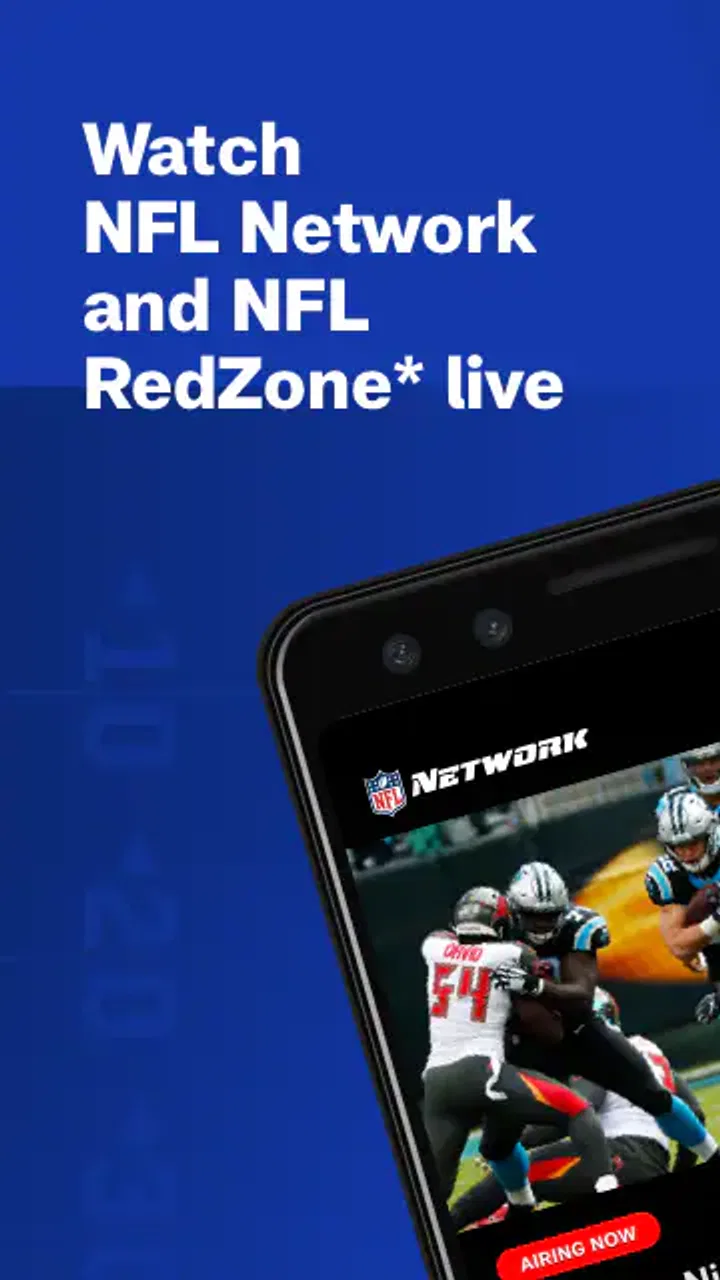
Developed by NFL Enterprises LLC, the app is free to install and aimed at everyone. Its main attraction is access to NFL Network programming and NFL RedZone on a phone or tablet. That focus makes the experience easy to understand. You are not opening it to browse unrelated leagues or build a general entertainment library; you are opening it because you want a direct way to follow NFL coverage.
What using NFL Network feels like in everyday life
The strongest use case is the football fan who moves between rooms, commutes, travels, or simply does not want the television occupied during a game-day window. I can imagine using it while preparing food, sitting in a waiting room, or checking in on coverage from a tablet while someone else watches a different channel. The smaller screen changes the experience, but the convenience is real.
You May Also Like

 Blood Strike: 2.5 Anniversary
Blood Strike’s Loadouts Turn Every Drop Into a Tactical Gamble
A close look at Blood Strike’s custom loadouts: how fast access to signature weapons reshapes its battle royale rhythm, rewards preparation, and narrows the gap between fights.

 Pandora - Music & Podcasts
Pandora’s Music Is Easy to Start, but Harder to Recover
Pandora’s strength is its low-effort path from a seed to a station. Its weak spot is how much confidence it asks you to place in connection, setup, and quiet recovery.

 8 Ball Pool
 Is Built on Rivalries, Rematches, and Routine
A close look at the rivalries, rematches, shared routines, and unanswered safety questions that turn a quick pool match into a persistent mobile community.

 Samsung Music
’s Quiet Strength Is Playing What You Already Own
Its reach comes less from spectacle than from dependable access to a personal library. That simplicity is both the app’s strongest retention engine and its ceiling.

 AccuWeather: Weather Radar
AccuWeather Review: A Quick, Clear Forecast for Everyday Decisions
For everyday plans, the best forecast is the one you can understand quickly. AccuWeather makes rain timing, radar, and local conditions easy to act on, with a few trade-offs.

 Hill Climb Racing
Why Hill Climb Racing Still Turns Crashes Into One More Run
A tiny car, a bumpy hill and one more upgrade: Hill Climb Racing keeps resurfacing because its simple chaos makes every near-miss feel personal.
More From Our News Desk



Its store reputation is encouraging: the app holds a 4.5 average from around 19 thousand ratings, with more than 4 thousand written reviews and over a million installs. Those figures suggest that it has reached a substantial audience, although they should not be treated as a guarantee that every device or viewing situation will feel identical. Streaming quality depends on the phone, tablet, connection, and the demands placed on the service at that moment.
I also appreciate that the app’s purpose is narrow. Many sports applications mix scores, news, fantasy tools, clips, shopping, and video into one crowded interface. NFL Network is easier to judge because its central job is live NFL-oriented programming. That clarity can be a benefit for someone who wants to get to coverage without wandering through a large sports portal.
At the same time, the narrow focus is exactly why some people should skip it. If you want live coverage from several sports, a complete league-wide archive, or a single subscription hub for every channel you watch, this is unlikely to replace your existing television or streaming setup. It works better as an NFL-specific companion than as a universal sports service.
Where the live focus helps
The presence of NFL RedZone is especially relevant for viewers who prefer a fast-moving Sunday experience rather than following one game from opening kickoff to final whistle. That kind of programming can make a phone or tablet useful as a secondary screen: I can keep the main television on a chosen matchup while using the mobile device to stay aware of other action.
There is a practical trade-off here. A small screen is excellent for portability, but less satisfying for a group watching together. On a tablet, the experience feels more suitable for individual viewing; on a phone, I would use it for checking in, following coverage while occupied, or watching when a larger display is unavailable. I would not choose it as my first option for a living-room watch party.
A useful habit is to decide before opening the app whether I am looking for live programming or general information. That prevents the common frustration of expecting a full news or score dashboard from a service whose clearest role is video programming. When I treat it as a viewing tool first, its purpose makes more sense.
Trust begins with knowing what the app is for
For me, trust is not only about whether an app works. It also starts with an honest relationship between its name, developer, and purpose. Here, the connection with NFL Enterprises LLC is clear, and the app presents itself as an official home for NFL Network programming. That is more reassuring than relying on an unfamiliar third-party player or an unofficial stream whose source is difficult to understand.
That official context does not mean I would stop paying attention to permissions, account prompts, or device behavior. A recognizable developer can make an app easier to place, but I still want to know why a requested access choice is needed and whether I can continue without granting more than I consider appropriate. My recommendation is to read each system prompt instead of automatically accepting everything during setup.
The app is free, which lowers the barrier to trying it. Free installation should not be confused with unlimited access to every piece of programming, however. Live sports services often involve viewing eligibility, provider relationships, or account requirements, so I would check the on-screen access explanation before planning an important game-day viewing session. If a particular program requires an additional step, discovering that just before kickoff is the worst time to learn it.
Account choices and personal control
One question many readers will have is whether an account is necessary. The practical answer is to follow the app’s own sign-in screen and distinguish between browsing the application and starting protected live viewing. If the app asks me to authenticate for a specific stream, I would use the smallest account commitment that still gives me the access I need. I would not create extra profiles simply to explore menus.
I also prefer to review account settings after signing in rather than leaving them untouched. Look for available controls around saved details, sign-out, connected devices, and communication preferences. The exact options can vary by platform and account route, so I would judge what is visibly offered on my own device rather than assuming that an option exists everywhere.
Signing out is particularly sensible on a shared tablet or a family device. It reduces the chance that another person will open the app under my profile or encounter viewing controls intended for me. On a personal phone, staying signed in may be more convenient, but I still like knowing where the sign-out control is before I need it.
Notifications deserve the same attention. Sports apps can be useful when they alert me to important coverage, but frequent alerts can also become background noise. I would enable only the categories I genuinely want and revisit them after a few days. If a notification does not help me make a viewing decision, it probably does not need to remain active.
Moments when data awareness matters most
The most data-sensitive moment is obvious: live video can consume a significant amount of mobile data compared with reading scores or short articles. I would avoid starting a long viewing session on cellular data without checking my plan. When possible, I would use a trusted Wi-Fi connection, especially for RedZone-style viewing that encourages extended watching.
There is also a privacy difference between watching at home and watching while traveling. On a private home network, I am mainly thinking about bandwidth and account security. In public places, I would be more cautious about signing in on shared screens, leaving the app open, or using a network I do not recognize. A short viewing session may not justify the same risk or inconvenience as a full afternoon of coverage.
If the app requests access that seems unrelated to live programming, I would pause and inspect the explanation. I would not infer that a permission is harmless merely because the developer is familiar. The best approach is simple: grant only what I understand, deny what I do not need, and check whether the core viewing experience still works afterward.
Device storage is another practical consideration, even though live viewing is different from downloading a library. I would still keep the operating system and app current, because compatibility problems can appear when a service depends on modern playback components. The current version is 12.60.2, and the listed minimum operating system is Android or iOS 9, giving the app a broad compatibility range on paper. Older devices may still feel less responsive than newer ones, so I would not read the minimum requirement as a promise of identical performance.
How I would prepare for a high-interest viewing window
My preferred workflow is to open NFL Network well before the program begins, confirm that I am signed in if sign-in is needed, and test the stream on the connection I plan to use. This is a small step, but it separates account or network problems from game-time pressure. I would also close unnecessary background activity and connect the device to power if I expect to watch for a long period.
On a phone, I would use headphones in public and keep the screen brightness at a comfortable level rather than maximum brightness. That helps with battery life and makes the app less intrusive. On a tablet, I would position it where I can glance at coverage without constantly holding it. These are ordinary adjustments, but they make the difference between a useful second screen and an irritating one.
For a shared household, I would decide in advance which device belongs to which viewer. That avoids repeatedly signing in and out during a busy sports day. If the app’s access flow sends me through an account or provider page, I would complete that process privately rather than handing an unlocked device around.
Where it compares well, and where alternatives win
Compared with a general sports-news app, NFL Network has a clearer video identity. A scores application may be better for quick updates because it uses less data and lets me scan many games rapidly. A television provider’s application may be better when I already pay for a broad channel package and want one place for all of its stations. The NFL app makes more sense when official NFL programming is the specific reason I am opening the screen.
Compared with unofficial streaming sites, an official application is the more sensible choice for reliability, recognizable ownership, and a cleaner account relationship. I would rather troubleshoot a legitimate app’s access flow than depend on a questionable stream that may expose me to aggressive redirects or unclear data practices. That is not a claim that every official session will be flawless; it is a judgment about which starting point deserves my trust.
Compared with a full television experience, the mobile app loses some comfort and social value. The picture is limited by the display, the connection can change, and a phone is easy to interrupt with calls or other alerts. Its advantage is flexibility. If I am away from the couch, that flexibility can outweigh the compromises.
One non-obvious trade-off is that a focused live-video app can be easier to use but less useful once the broadcast ends. If my goal is to research a player, compare standings, or review a large collection of previous games, I would probably pair it with another source rather than expect it to do everything. That division of labor is more realistic than treating one sports app as a complete football encyclopedia.
Who should install it
I would recommend NFL Network to an NFL fan who wants official programming on a phone or tablet, especially someone who regularly watches away from the main television. It is also a sensible choice for viewers who value NFL RedZone and want a portable way to follow coverage when their normal setup is unavailable.
I would be more cautious recommending it to someone with limited mobile data, an older device, or no interest in live programming. In those cases, a lightweight scores app or an existing television service may be a better fit. I would also ask whether the person needs a broad sports package; if the answer is yes, the app’s focused NFL role may feel too narrow.
Families should think about account separation and shared-device habits before relying on it. A personal viewing setup is straightforward, while a household with several viewers may need a little more coordination. The app can still be useful there, but expectations should be clear about who is signed in and which device is being used.
My cautious verdict after using it
NFL Network earns its place as a practical NFL viewing companion because it has a clear purpose, comes from NFL Enterprises LLC, and brings NFL Network programming and NFL RedZone to mobile screens. Its free price and everyone-friendly age rating make trying it easy, while its strong average rating and large install base indicate broad interest.
My recommendation comes with boundaries. I would use it for portable, official NFL coverage and prepare the account, connection, and data settings before an important viewing session. I would not treat it as a replacement for every sports service, and I would not grant permissions or leave account access open without checking the choices presented on my device.
The best reason to choose NFL Network is control over where I watch NFL programming, not the promise of an all-purpose sports hub. If that matches your needs, it is worth trying. If you mainly want scores, a complete multi-sport service, or a large on-demand archive, another option may serve you better.
FAQs for NFL Network
01What is NFL Network, and what can I watch on the app?
NFL Network is the league’s official streaming and information app, offering access to live programming, breaking news, analysis, interviews, game highlights, documentaries, and original shows. The exact content available depends on your location, device, and television subscription. It is especially useful for following NFL news, training camp coverage, draft updates, and around-the-clock football discussion, although it is not necessarily a complete replacement for every live game broadcast.
02Do I need a TV provider subscription to use NFL Network?
Many of the app’s premium features and live streams require authentication through a participating cable, satellite, or live-TV streaming provider that includes NFL Network in its package. Some news, clips, previews, and selected videos may be available without signing in, but access can vary. Before downloading, check whether your provider is supported and whether your current plan includes NFL Network access.
03Can I watch live NFL games through NFL Network?
NFL Network may provide selected live football programming, special events, preseason coverage, and league-related broadcasts, but it does not automatically provide every regular-season or postseason game. Game availability depends on broadcasting rights, your country, and your TV subscription. If live games are your main reason for installing the app, review the current schedule and regional restrictions before assuming that all matchups will be available.
04Is NFL Network available on Android and iPhone, and does it work on other devices?
The NFL Network experience is generally designed for supported Android phones and tablets, iPhone, and iPad, while compatible smart TVs, streaming devices, and web browsers may also be supported. Performance can depend on your operating-system version, app updates, internet connection, and device model. For the best results, use a stable Wi-Fi or strong mobile-data connection and keep the app updated.
05Does NFL Network cost money, and are there advertisements?
Downloading the NFL Network app is typically free, but full access may require a qualifying television subscription or another authorized login. The app can also include advertising, promotional content, and data usage during video playback. Costs and available features may differ by region and provider, so review the app-store listing and the sign-in requirements carefully before subscribing, using mobile data, or sharing account details.
Pros
- Live coverage
- analysis
- and interviews focused on the NFL.
- Useful schedules
- scores
- standings
- and league updates in one place.
- On-demand videos make it easy to catch up on missed coverage.
- Clean interface with content organized by teams and major NFL topics.
- Supports notifications for breaking news and important league updates.
Cons
- Many live features require an eligible TV provider subscription.
- Availability of some content varies by location and broadcast rights.
- Video quality may depend heavily on your network connection.
- The app focuses mainly on NFL content
- with little beyond football.
- Frequent notifications can feel excessive if not customized.

NFL Network
Gallery